Photo culling for wildlife photographersFind the sharp frame in every burst.
A bird in flight is forty frames, and only a few have the eye in focus. Culla groups each burst, takes out the blurred frames with Smart Cull and shows the full-resolution image the moment you zoom in — on your Mac, or on an iPad in the field.
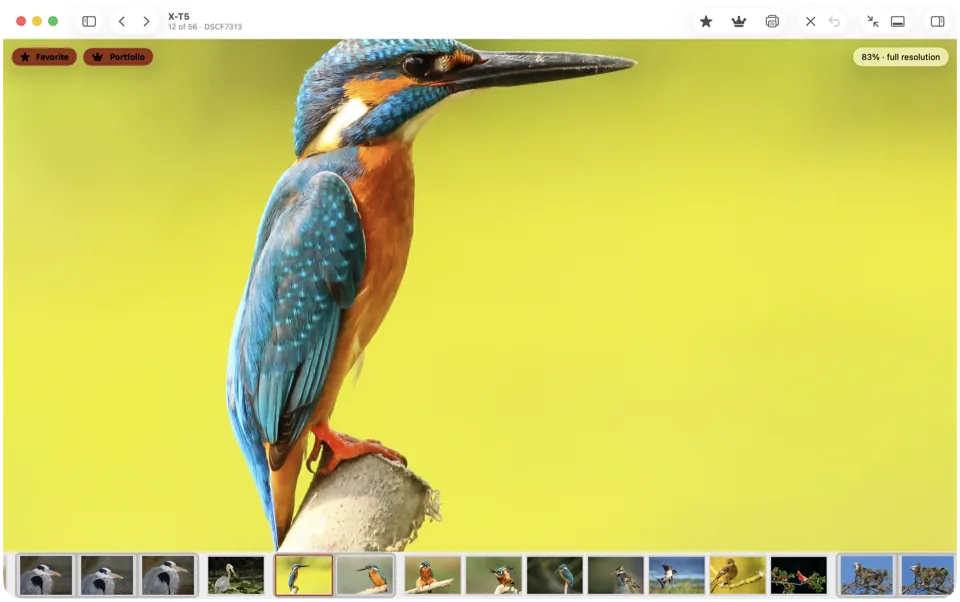
Zoom in. Full resolution, instantly.
Press Space and Culla loads the full-resolution image while you look — pinch to zoom further, drag or scroll to look around.
- The inspector shows lens, focal length, aperture, shutter speed and ISO.
- Smart Cull takes out blurred and badly exposed frames before you start.
- On an iPad or iPhone, pinch or double-tap to zoom; the full-resolution image loads the same way.
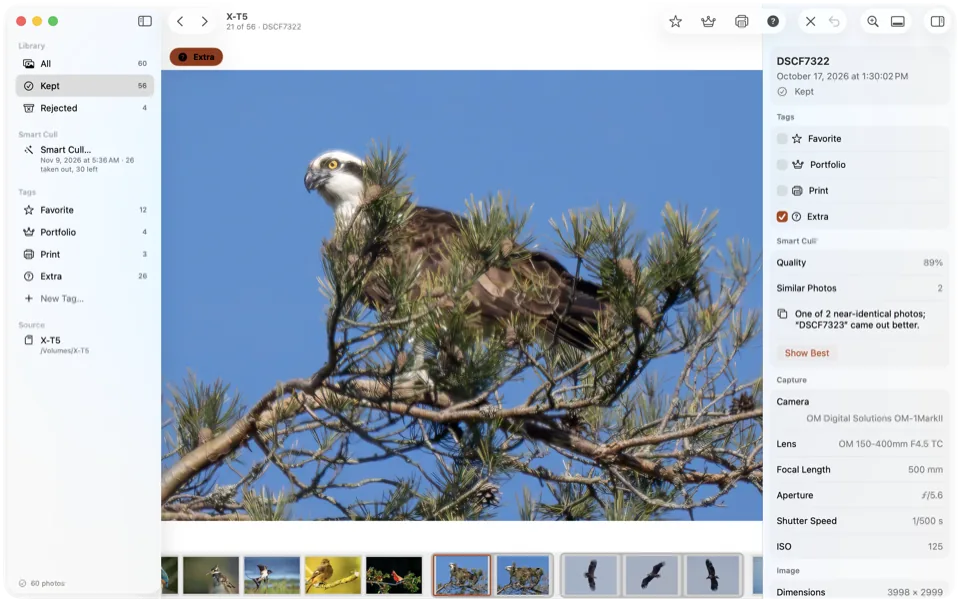
Bursts, sorted. The best one stays.
Near-identical shots sit together in the filmstrip, the inspector says when another frame came out better, and Show Best jumps straight to it.
- Keep a Number of Photos drops failed shots, then near-identical copies of a better shot.
- Tags you put on yourself are never taken off, and with Respect My Corrections on, a photo you restored stays as you left it.
Cull in the field, with no signal.
Culla works entirely offline, right on the card — on a laptop or an iPad in a hide, a car or a lodge with no internet. Smart Cull runs on the device, and nothing is uploaded.
- Free up the card: reject the misses, then delete them for good once you're sure.
- Cull on the iPad in the field and finish on the Mac at home. Tags and Smart Cull's results are saved on the card, and one purchase covers both.
- A RAW file, its JPEG twin and its XMP sidecar always move together.
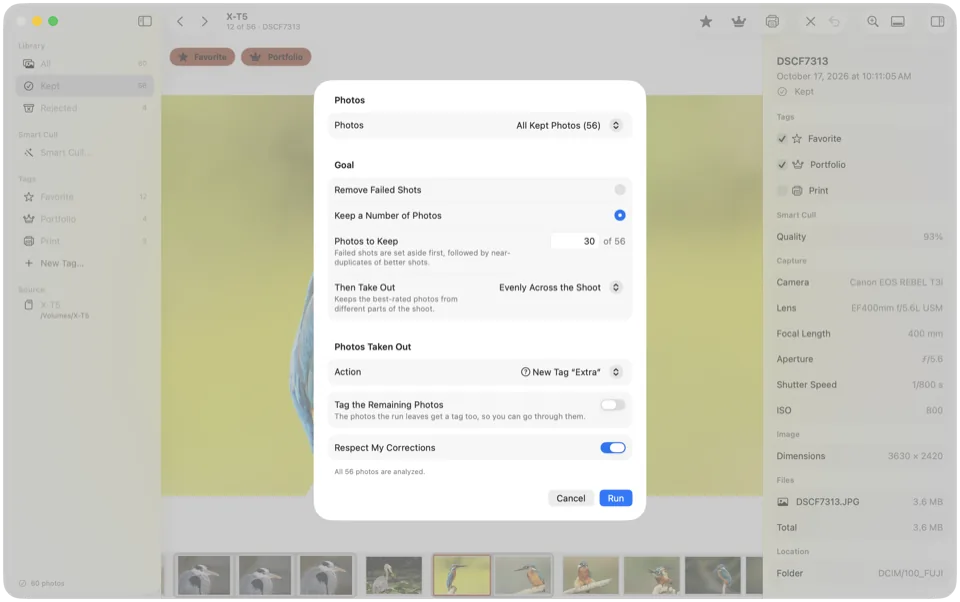
From a full card to the keepers.
Open the card
Insert it and open it in Culla on your Mac or iPad — no import, no catalog, no internet needed.
Take out the misses
Run Remove Failed Shots at the strictness you like; check what it took out in the filmstrip.
Pick the sharpest
Go through each burst with Space to check the eye at full resolution, and keep the best one or two.
The whole method, step by step: How to cull photos fast.
Culla for wildlife, answered.
Does Culla pick the best frame from a burst?
Smart Cull rates every photo and groups near-identical shots; within a series it marks the ones where another frame came out better, and Show Best jumps to it. For the final call, press Space and check the eye at full resolution.
Does Culla work without internet?
Always. Culla has no account and never connects to the internet, and Smart Cull's analysis runs on your Mac, iPhone or iPad.
Can I cull on an iPad in the field?
Yes. Culla runs on iPad and iPhone too, and one purchase covers your Mac. Connect a card reader, open the card in Files and cull it with no internet — Smart Cull runs on the device. Tags and rejects are saved on the card, so you carry on at the Mac at home. Our guide shows how to cull photos on an iPad.
Can I free up space on the card in the field?
Yes. Rejected photos wait in a hidden folder on the card; when you're sure, choose Delete Rejected Photos Permanently… and confirm.
Which cameras does Culla support?
RAW files from most cameras — RAF, CR3, CR2, NEF, ARW, ORF, RW2 and DNG — plus JPEG and HEIC. RAW decoding is done by macOS, iOS and iPadOS, so support for brand-new cameras arrives with system updates.

Cull the day's bursts on the card.
Works offline, on Mac, iPhone and iPad. One-time purchase.