Cull before Capture One. Import only the keepers.
Capture One culls inside a session or a catalog. Culla culls the whole shoot right on the card, on your Mac or iPad, and Smart Cull takes out the misses first — so only the keepers reach Capture One, already rated. $24.99 once, next to Capture One, not instead of it.
Culling in Culla and in Capture One.
| Culla | Capture One | |
|---|---|---|
| Price | $24.99 once on the App Store — one purchase for Mac, iPhone and iPad | Capture One Pro from $28 a month or $216 a year, or $349 for a perpetual license; 7-day trial |
| Where you cull | Right on the memory card, an external disk, any folder or a Photos album | In a session or a catalog. A session shows a folder without importing it but adds a CaptureOne folder next to the photos; a catalog imports first |
| Before import | The whole cull: zoom, tags, bursts and Smart Cull — then import the keepers | The Import window can group similar shots, show faces at 100% and let you tick the photos to bring in |
| AI culling | Smart Cull takes out failed shots and near-identical copies, or gets the shoot down to the number you ask for | Assisted Review (beta, since Capture One 16.8) tags closed or out-of-focus eyes and exposure problems; it doesn't take photos out |
| Near-identical shots | Grouped in the filmstrip; Smart Cull keeps the best of each series | Group Overview groups similar shots, with a slider for how similar |
| Rejected photos | Moved into a hidden folder on the card; restore them any time | No reject flag — culling uses stars and color tags. Deleted photos go to the session's or catalog's Trash; emptying a session's Trash deletes the files |
| Ratings in XMP | A tag can stand for a star rating or color label, written to the XMP sidecar | Syncs with XMP sidecars both ways, loads them only, or neither (Auto Sync Sidecar XMP) |
| On iPhone and iPad | The whole cull, right on the card, with Smart Cull. Same purchase as on the Mac | Capture One for iPad and iPhone, a separate subscription or part of the All in One plan ($296 a year) |
| Editing | No — Culla culls, then hands off | A full RAW editor, with tethered shooting |
| Platforms | Mac, iPhone and iPad: macOS 26 or later on Apple silicon and Intel; iOS and iPadOS 26 or later | Mac (macOS 15 or later) and Windows; iPad and iPhone through the mobile app |
Add Culla if
- You want to cull a card without adding anything to it or importing it first.
- You want blurred shots and duplicates taken out for you, not just tagged.
- You want your star ratings already on the photos when Capture One loads them.
- You'd like to cull on an iPad on location with no extra subscription, then import the keepers on your Mac.
Capture One alone is enough if
- You already cull in the Import window or the Cull view, and Face Focus and Group Overview are all you need.
- Assisted Review's eye and exposure tags are the first pass you want.
- You shoot tethered and cull as the photos come in.
- You work on Windows.
Only the keepers reach Capture One.
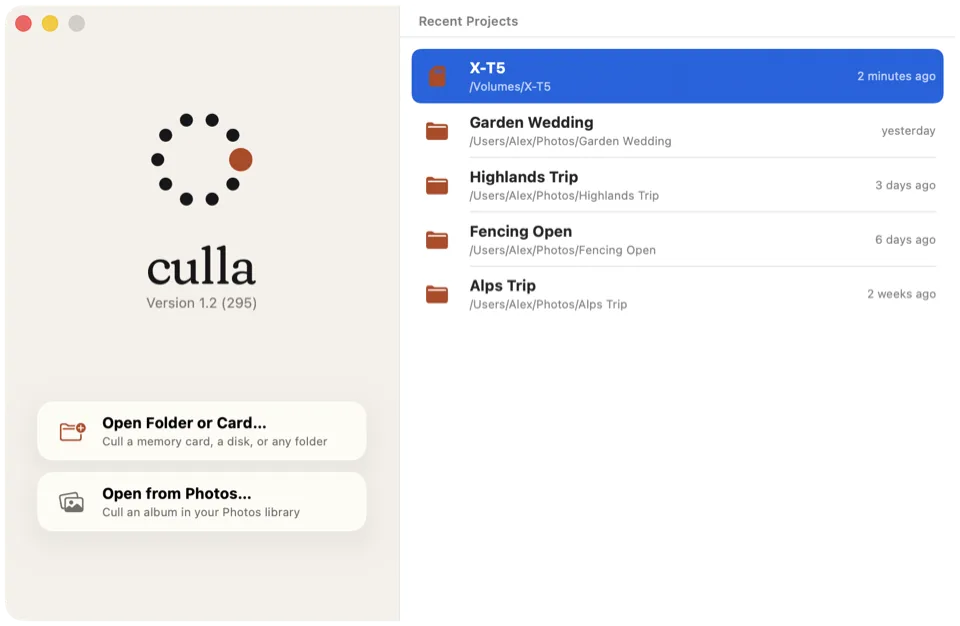
Capture One culls what's in a session or a catalog. Culla culls on the card itself: reject the misses, then import the keepers into a catalog or session — or export your picks to a folder and import just that.
- Rejected photos move into a hidden folder next to the originals, so they stay rejected wherever you open the card next.
- A tag can stand for a star rating or color label. Culla writes it to the photo's XMP sidecar, and Capture One loads it when Auto Sync Sidecar XMP is set to Load or Full Sync.
- A RAW file, its JPEG or HEIC twin and its XMP sidecar always move together.
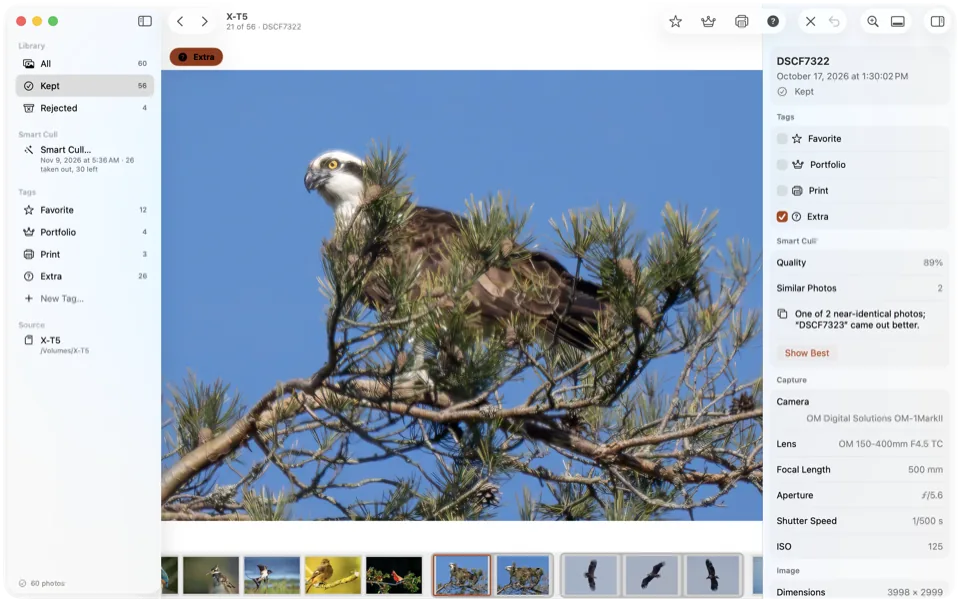
A first pass that takes the misses out.
Capture One's Assisted Review tags photos with closed eyes, missed focus or exposure problems, and leaves the rest to you. Smart Cull does a first pass on your Mac too — failed shots, then near-identical copies — and takes them out of the shoot.
- Remove Failed Shots takes out blurred, badly exposed and other clearly poor photos, as strictly as you like.
- Keep a Number of Photos gets the shoot down to the count you ask for, keeping the best of each series.
- It tags or rejects what it takes out, and one Undo takes back the whole run.
Cull on the iPad. Import on the Mac.
Capture One on an iPad or iPhone is a subscription of its own. Culla's one purchase covers the Mac, iPhone and iPad, and the cull stays on the card for Capture One on your Mac.
Open a memory card in a card reader, a disk or a folder in Files, or an album of your Photos library. Swipe to the next photo, tap to reject or tag, and let Smart Cull take out the misses right on the device.
Back at your Mac, import the card into Capture One. The rejects stay behind in their hidden folder, and tags that stand for a star rating arrive as ratings.
Next to Capture One, not instead of it.
Culla doesn't edit or shoot tethered, and isn't trying to replace Capture One. It's the step before: $24.99 once for Mac, iPhone and iPad, so Capture One only ever sees the photos worth editing.
Capture One stays the place for color, editing and tethering. A smaller import means fewer previews to build and fewer misses to scroll past in your catalog or session.
Culla first, Capture One second.
Open the card in Culla
Insert the card and open it in Culla on your Mac, iPad or iPhone — nothing to import. Photos appear while it's still scanning.
Cull on the card
Let Smart Cull take out the misses, then decide on the rest with one key: X to reject, L for Favorite. Give a tag a star rating for Capture One.
Import the keepers
Import the card into Capture One with Auto Sync Sidecar XMP set to Load or Full Sync — the rejects stay behind, and the ratings come along.
Culla and Capture One, answered.
Does Culla replace Capture One?
No. Culla is for culling only: it doesn't edit photos, shoot tethered or keep a catalog. Use it before Capture One, so only the keepers get imported.
Will Capture One see the ratings I set in Culla?
Yes, when Capture One reads XMP sidecars. A tag can stand for a star rating, and Culla writes it to the photo's XMP sidecar; with Auto Sync Sidecar XMP set to Load or Full Sync in Capture One's preferences, the rating comes in with the photo. Rejected photos are moved aside into a hidden folder, so they aren't imported at all.
Isn't Capture One's own culling enough?
It may be. Capture One can group similar shots, show faces at 100% and let you pick photos in its Import window, and Assisted Review tags eye and exposure problems. Culla is for a full cull before Capture One sees the shoot — with Smart Cull taking the misses out — right on the card, on a Mac, iPad or iPhone.
Does browsing a card in a Capture One session change it?
A session can show a folder without importing it, but Capture One adds a CaptureOne folder next to the photos for its cache and settings. Culla adds a hidden folder too, for its tags and analysis, and moves rejects into it; the photos themselves stay as they are.
Does Culla run on Windows?
No. Culla runs on Mac, iPhone and iPad: macOS 26 or later on Apple silicon and Intel Macs, and iOS and iPadOS 26 or later.
Capture One's prices and features as of November 2026, from Capture One's pricing and trial pages and support articles on culling, Assisted Review, folders in sessions, the CaptureOne folder, XMP sidecars, deleting images, system requirements and Capture One mobile. US prices from Capture One's store; they vary by country. Culla's price is the US App Store price, one purchase for Mac, iPhone and iPad; it varies by country. Capture One is a trademark of Capture One A/S. Culla isn't affiliated with Capture One.

Cull on the card. Import the keepers.
One-time purchase for Mac, iPhone and iPad. Works with any editor.