RAW viewer for MacEvery RAW on the card, one key away.
Open a memory card, a disk or a folder and look through its RAW photos at once — nothing to import, no catalog to build. Zoom to full resolution, check camera and exposure details, and reject or tag a photo the moment you've seen it.
Open the card. The photos are there.
Insert an SD, CFexpress or any other card, or open an external disk or a folder. Photos appear while Culla is still scanning, in the order they were taken — even across several folders or cameras.
- RAF, CR3, CR2, NEF, ARW, ORF, RW2 and DNG, plus JPEG and HEIC.
- A RAW file and its JPEG or HEIC twin are one photo, with its
.xmpsidecar. - Nothing is copied or converted, and the files stay where they are.
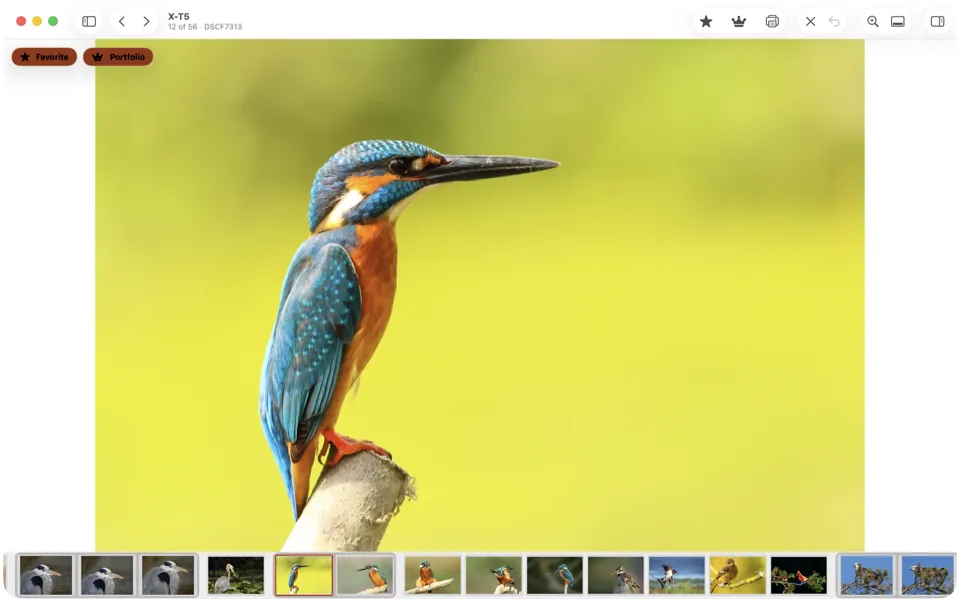
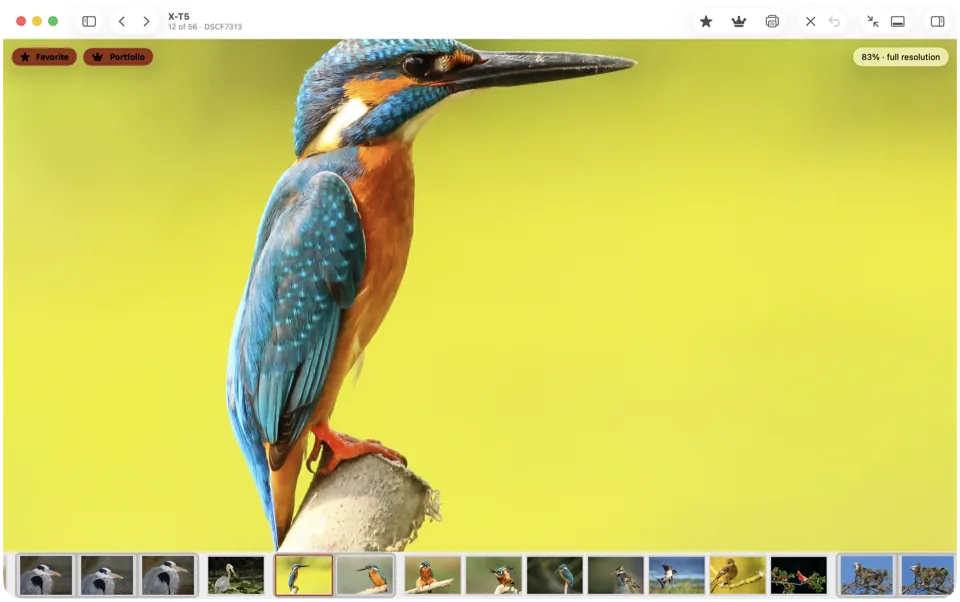
Zoom in. Check the focus.
Press Space to zoom in, and Culla loads the full-resolution image while you look. Pinch to zoom further, drag or scroll to look around.
- The arrow keys move to the next photo, and the next one is already on screen.
- ⌘← and ⌘→ jump to the first and last photo of the shoot.
- Hide the panels and go full screen, with nothing between you and the photo.
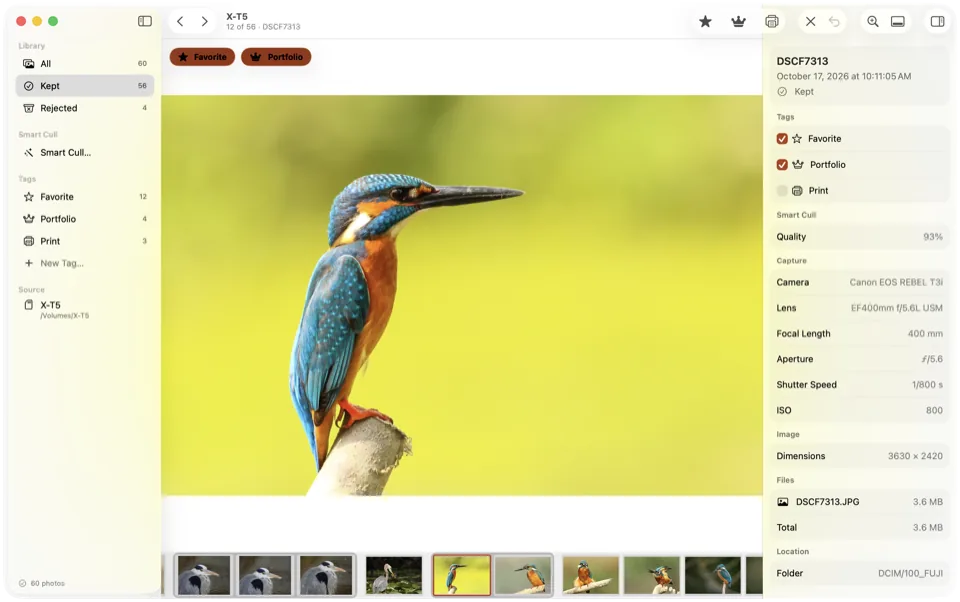
Camera, lens and exposure at a glance.
The inspector shows the camera, lens, focal length, aperture, shutter speed, ISO and size of every photo, and each file it's made of.
- Sort by capture time or by file name, either way round.
- Near-identical shots sit together in the filmstrip.
- It's all read from the files — there's no account and nothing goes online.
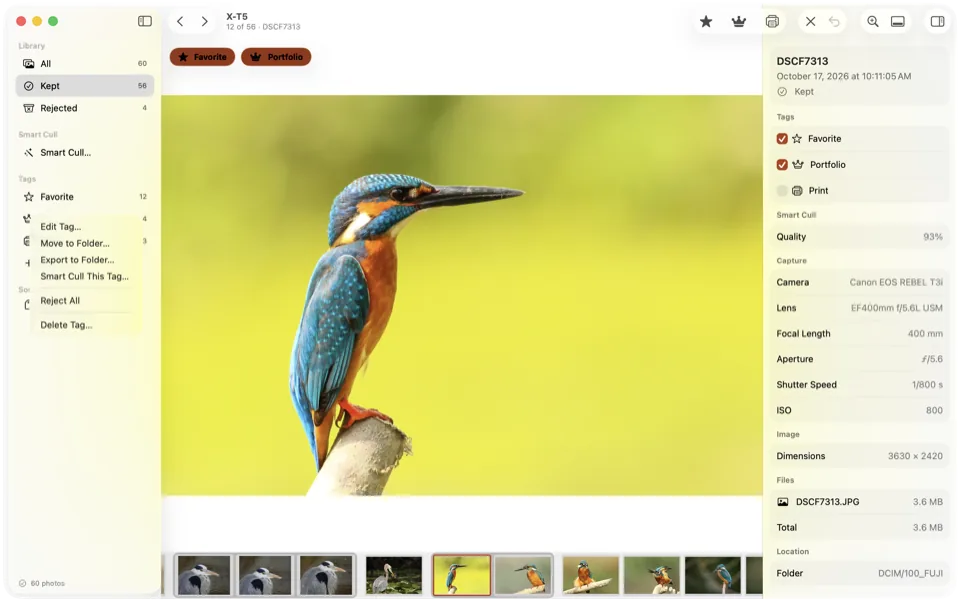
Decide while you look.
Culla is a photo culling app, so viewing and choosing are the same pass. X rejects a photo, L marks a Favorite, and your own tags each get a key.
- Rejected photos are moved into a hidden folder next to the originals — never deleted until you ask.
- A tag can stand for a star rating or color label in the XMP sidecar, so Lightroom and Capture One see your picks.
- Smart Cull, Culla's on-device AI, can take out blurred shots and near-duplicates before you start.
From the card to a look at every frame.
Insert the card
Plug in the card or a card reader, and open the card in Culla. Nothing is imported.
Look through the shoot
Move with the arrow keys, zoom with Space, and check the details in the inspector.
Keep what you like
Reject or tag as you go, then import the keepers into your editor or export them to a folder.
Just one file to look at, on any computer? Try our free online RAW viewer — it opens a RAW file in the browser, without uploading it.
Culla as a RAW viewer, answered.
Which RAW formats can Culla open?
RAW files from most cameras: Fujifilm RAF, Canon CR3 and CR2, Nikon NEF, Sony ARW, OM System and Olympus ORF, Panasonic RW2 and DNG, plus JPEG and HEIC. RAW decoding is done by macOS, so support for brand-new cameras arrives with system updates.
Can't Preview or Quick Look open RAW files already?
They can, one file at a time. Culla opens the whole card at once, in the order the photos were taken, keeps a RAW and its JPEG together, shows the shooting details beside the photo, and lets you reject or tag a frame the moment you've seen it.
Does Culla change my RAW files?
No. The files stay as they are and where they are. When you reject a photo, it's moved into a hidden folder next to the originals; tags and Smart Cull's analysis are saved there too. A star rating or color label you choose to write goes into the photo's .xmp sidecar, never into the RAW file.
Can I edit RAW photos in Culla?
No — Culla is for looking and choosing, not editing. Import the keepers into Lightroom, Capture One or another editor; star ratings and color labels from your tags come along in the XMP sidecars.
Which Macs does Culla run on?
Macs with macOS 26 or later, Apple silicon and Intel. The same purchase also covers Culla on iPhone and iPad.
Is Culla free?
No: Culla is a one-time purchase of $24.99 on the App Store, with no subscription, and it covers Mac, iPhone and iPad. To look at a single RAW file for free, use our online RAW viewer.