Culla press kit
Everything you need to write about Culla, free to use in articles, reviews and videos. For a review copy, an interview or anything that isn't here, write to support@getculla.com.
About Culla
In one sentence
Culla is a fast photo culling app for Mac, iPhone and iPad that works right on the memory card, with no import, no catalog and no subscription.
In a paragraph
Culla is a photo culling app for Mac, iPhone and iPad, made for photographers who come home with thousands of frames. It opens a memory card, an external disk, a folder or an album of the Photos library directly, with nothing to import, and lets you keep, reject or tag each photo with one key or one tap. Smart Cull, Culla's on-device AI, takes out blurred and badly exposed shots and near-duplicates, and says which frame of a burst came out better. Tags become XMP star ratings and color labels that Lightroom, Capture One and Photo Mechanic read. Culla is a one-time purchase on the App Store that covers Mac, iPhone and iPad, with no account and no tracking.
Fact sheet
| Name | Culla (on the App Store, “Culla — Fast Photo Culling”) |
|---|---|
| Platforms | Mac (macOS 26 or later, Apple silicon and Intel), iPhone (iOS 26 or later), iPad (iPadOS 26 or later) |
| Price | $24.99 in the US, a one-time purchase that covers Mac, iPhone and iPad. No subscription and no in-app purchases. Family Sharing is supported. |
| Current version | 1.2, November 2026 |
| First released | October 2026, for Mac |
| Languages | English, Russian, Spanish |
| Category | Photo & Video |
| Privacy | No account, no analytics, no tracking. The App Store privacy label is “Data Not Collected”: photos never leave the device. |
| Website | getculla.com, with the full user guide |
| App Store | apps.apple.com/app/id6818320656 |
| Press contact | support@getculla.com |
| Social | LinkedIn, Instagram, Facebook, Threads, YouTube, X, Bluesky |
What's new in Culla 1.2
The November 2026 update brings Culla to iPhone and iPad and connects it to the editors photographers already use:
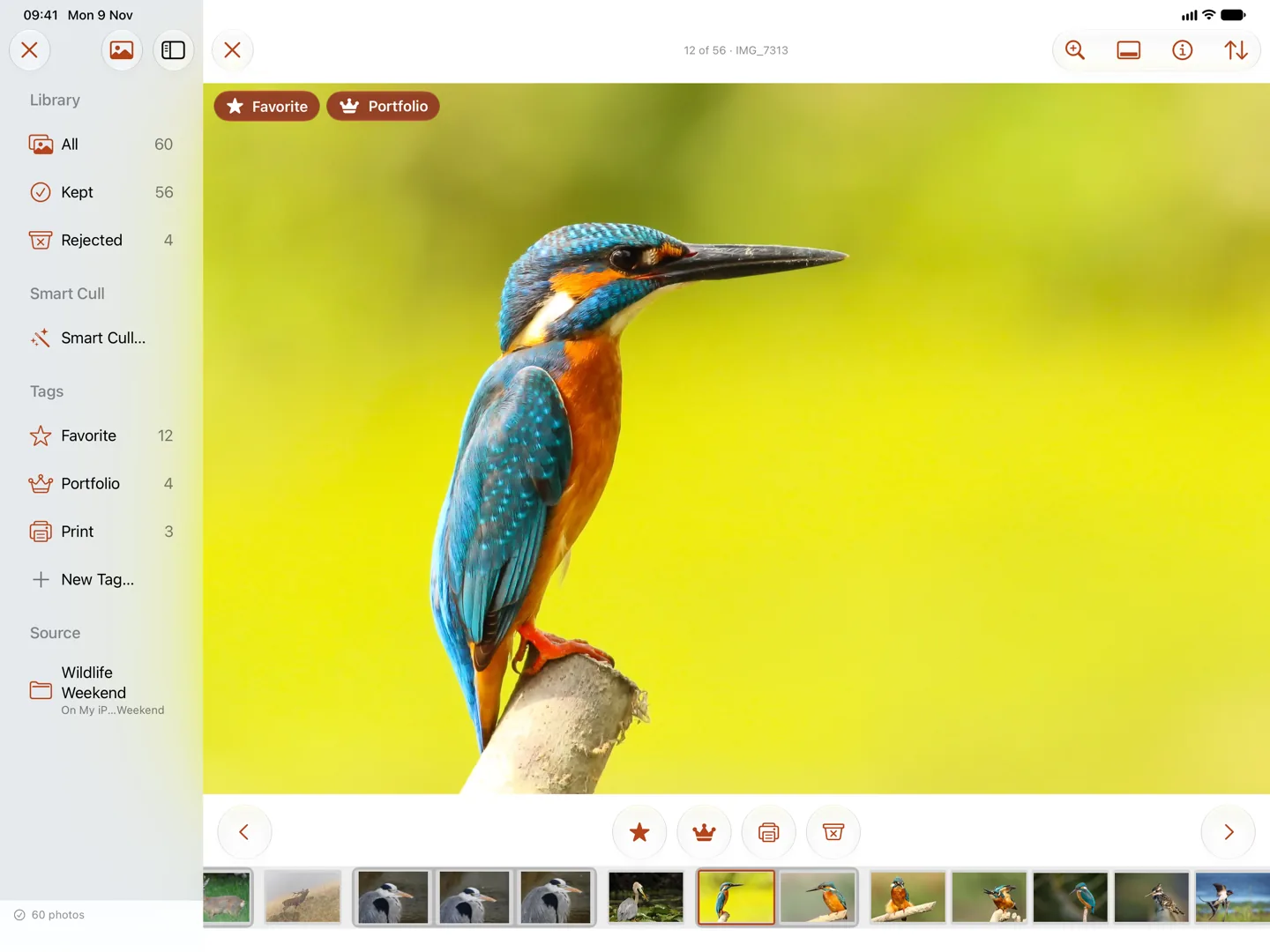
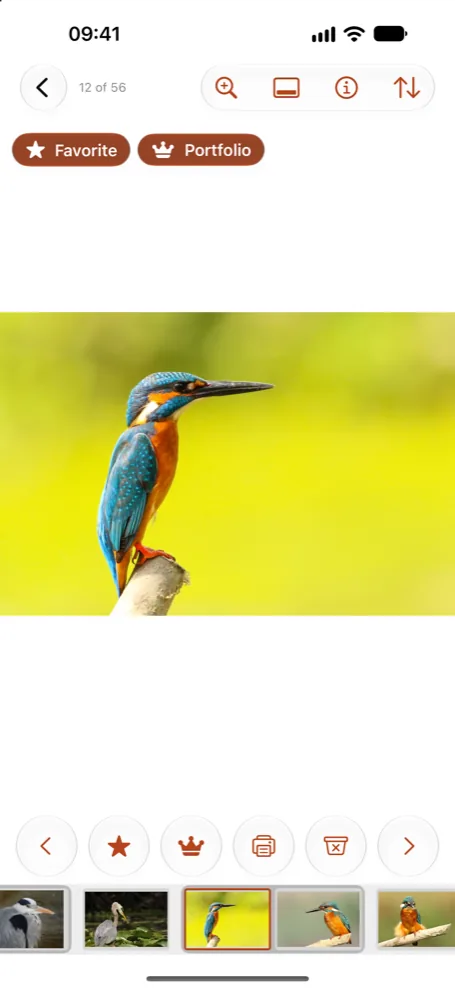
- iPhone and iPad. The same app, made for touch, with buttons under the photo and swipes that only move between photos. An iPad with a keyboard takes the shortcuts too. A purchase on any device covers all three.
- Star ratings and color labels. A tag can mean five stars or a red label. Culla writes it to the photo's XMP sidecar, so Lightroom, Capture One, Photo Mechanic and darktable see the cull, and a change made there comes back to Culla.
- Tags travel with the card. Tags and Smart Cull's results are kept next to the photos, so a shoot started on an iPad in the field can be finished on the Mac.
- Photos library. Albums of the Photos library can be culled the same way, and Favorites stay in sync both ways.
- VoiceOver describes each photo and what just happened to it.
What Culla does
- Right on the card. Open a memory card, an external disk, a folder or a Photos album and start right away. Photos appear while Culla is still scanning.
- One key or tap per photo. Keep, reject or tag, and the next photo is already on screen. Shortcuts on the Mac and iPad are customizable.
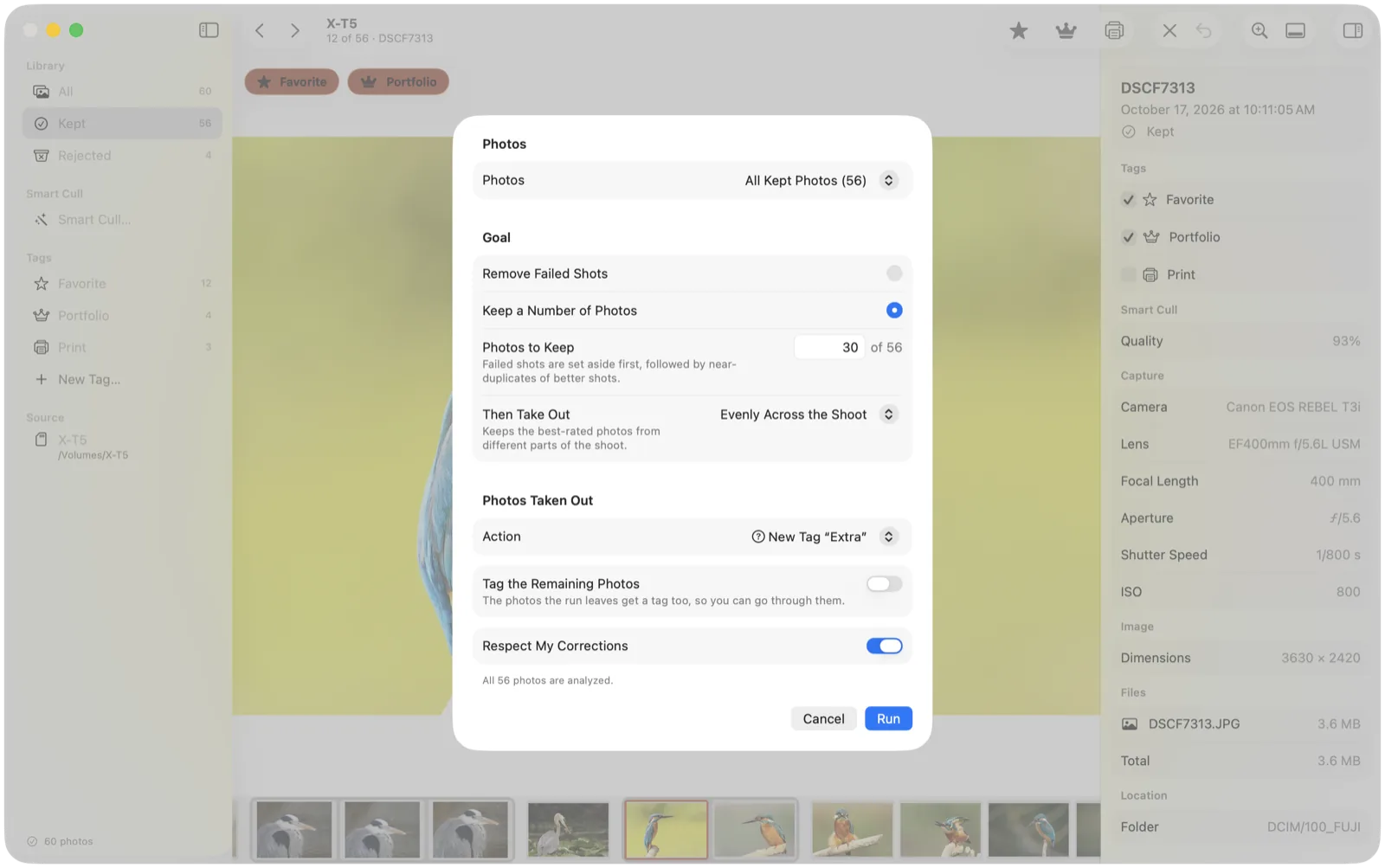
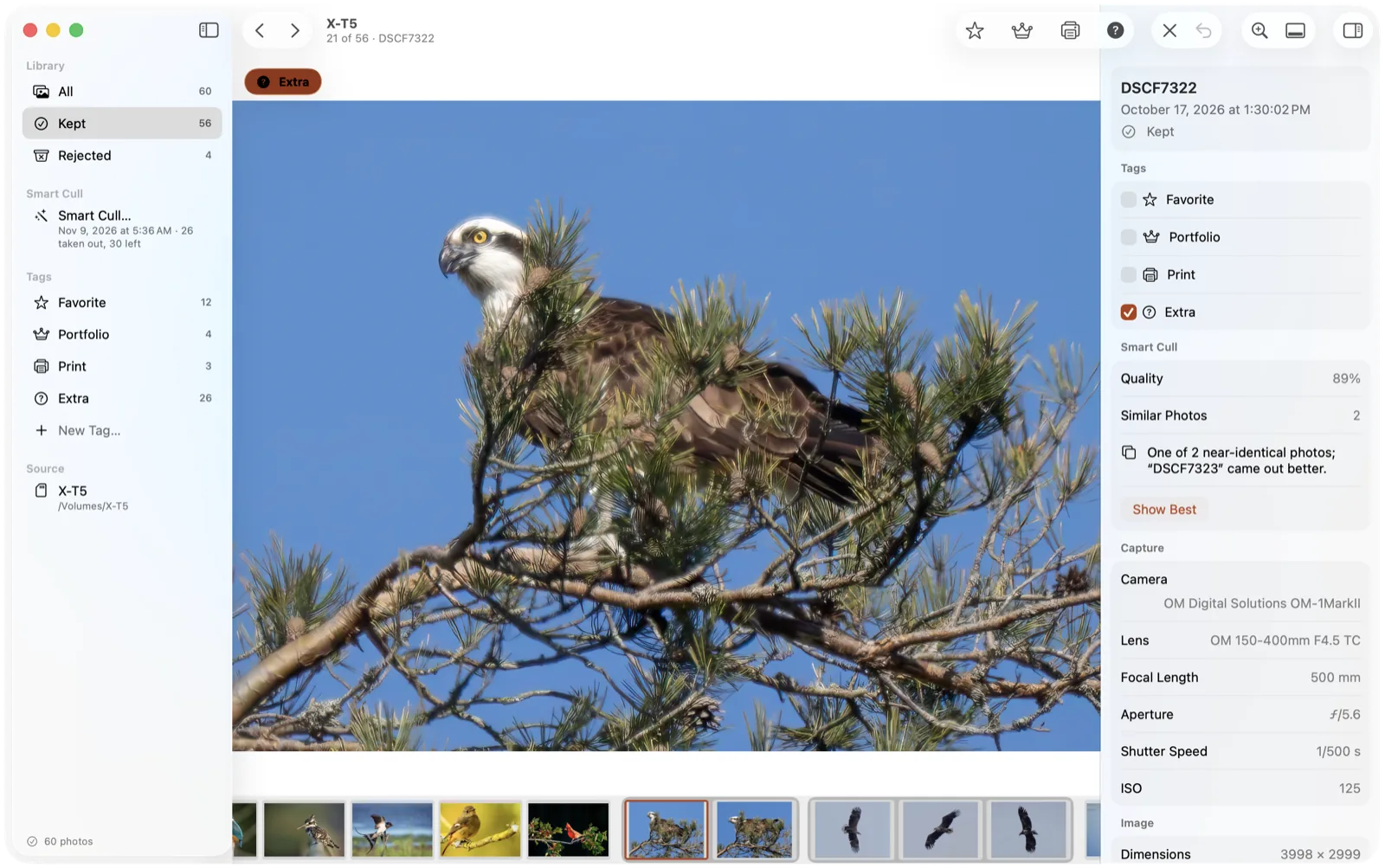
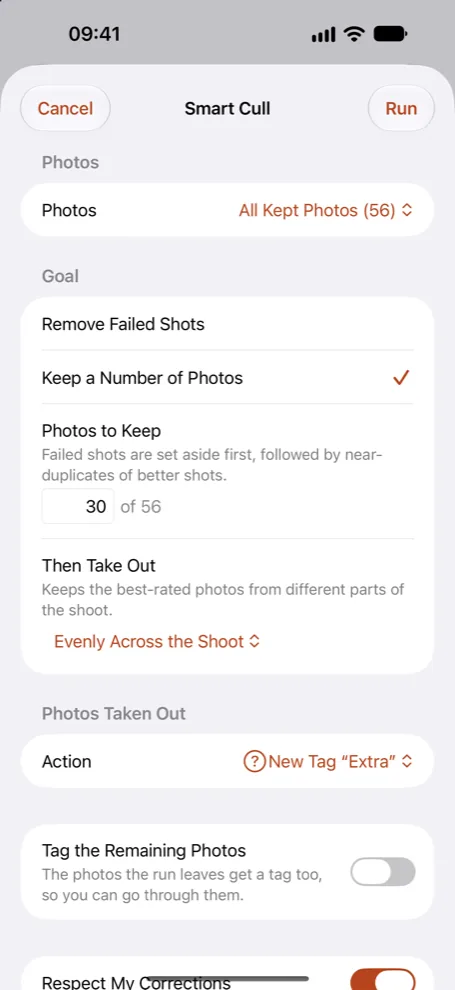
- Smart Cull. On-device AI takes out failed shots or keeps the number of photos you ask for, groups near-identical frames and says which one came out better. One Undo takes back a whole run.
- Rejecting never deletes. Rejected photos are moved aside next to the originals and stay rejected wherever the card is opened next. Photos are deleted only when you ask, after a confirmation.
- Made for RAW. RAF, CR3, CR2, NEF, ARW, ORF, RW2 and DNG, plus JPEG and HEIC. A RAW file, its JPEG twin and its XMP sidecar always move together.
- Private. No account and no network connections. Smart Cull's analysis stays on the device.
Screenshots and video
Every photo in the screenshots and the video is in the public domain (CC0), so you can publish them without a credit. The Mac screenshots have a transparent background.
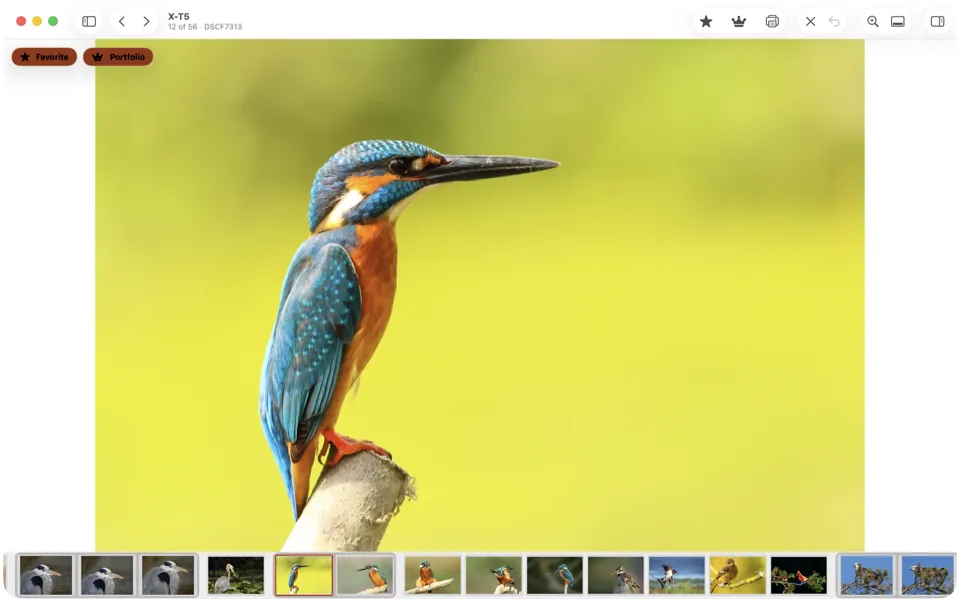
A shoot opened straight from the card on the Mac
Download WebP, 2560 × 1606 px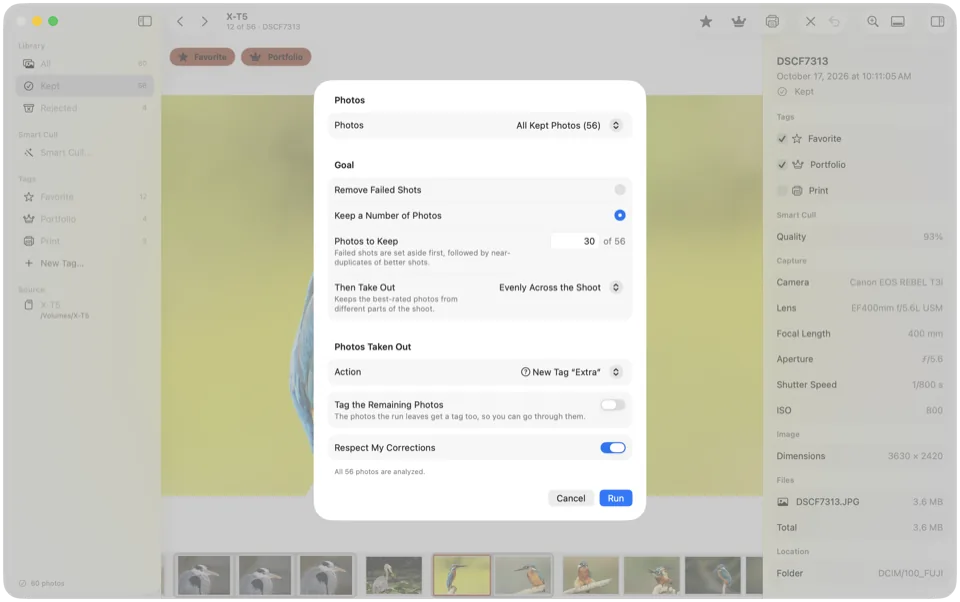
Smart Cull keeping 30 of 56 photos
Download WebP, 1600 × 1003 px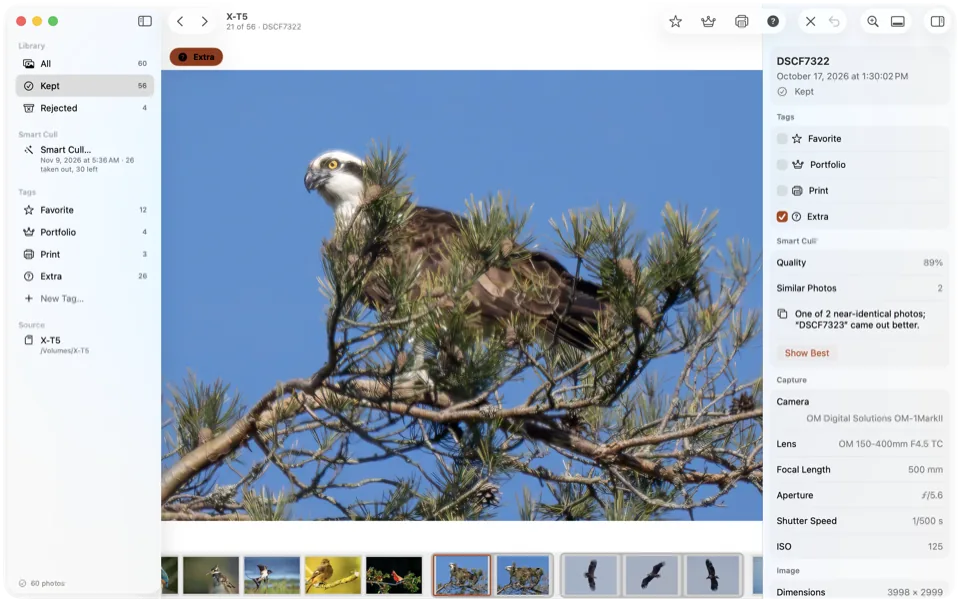
Two near-identical frames grouped, with the better one named
Download WebP, 1600 × 1003 px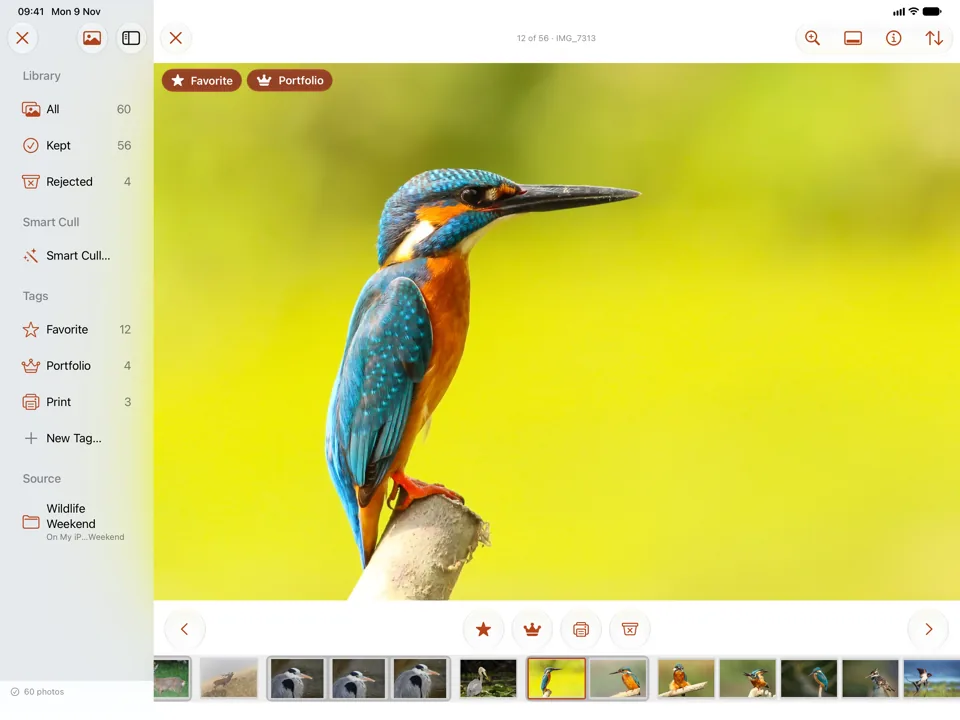
Culla on iPad
Download WebP, 1440 × 1080 px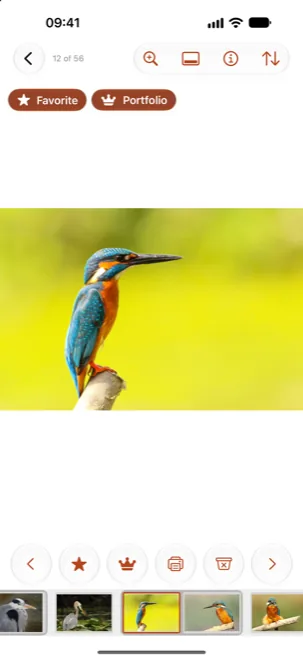
Culla on iPhone
Download WebP, 990 × 2151 px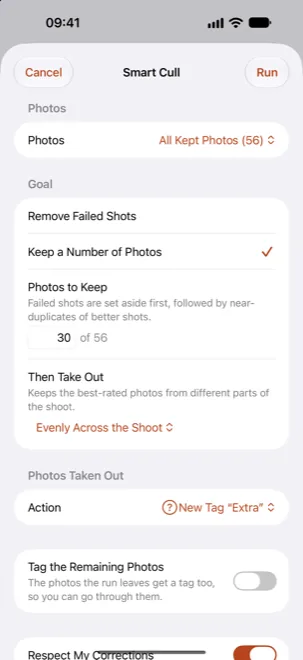
Smart Cull on iPhone
Download WebP, 990 × 2151 px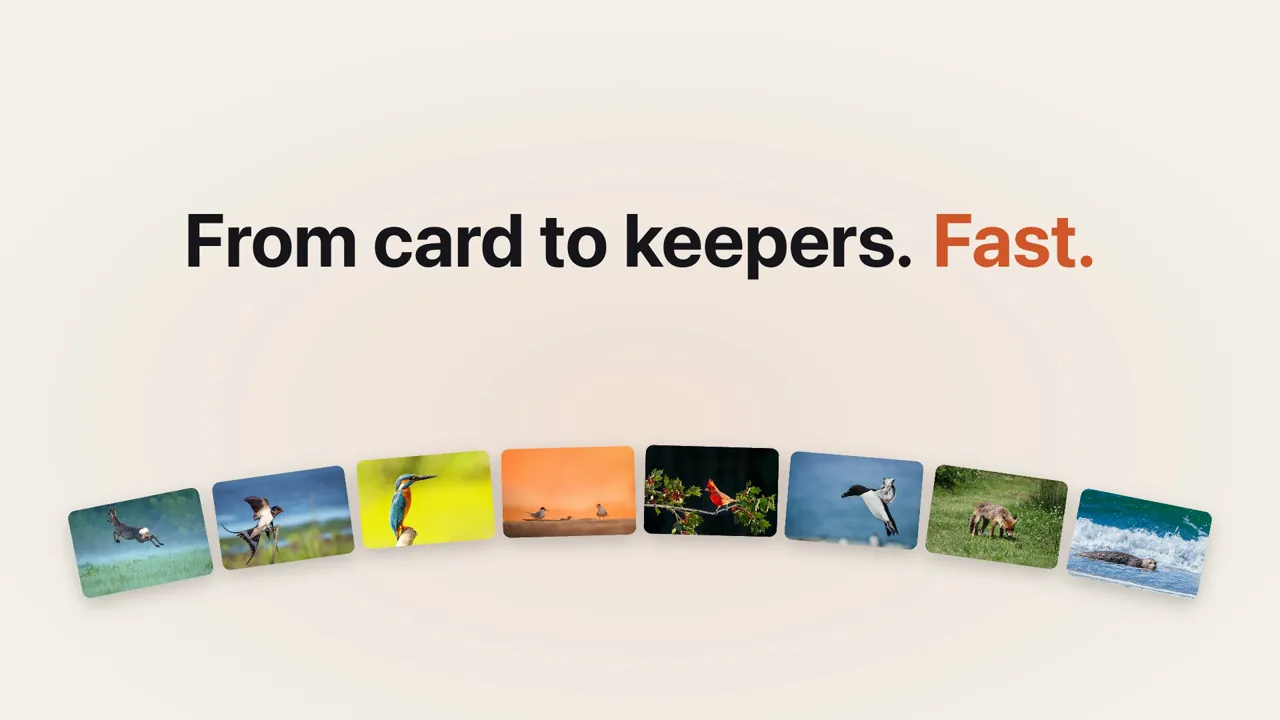
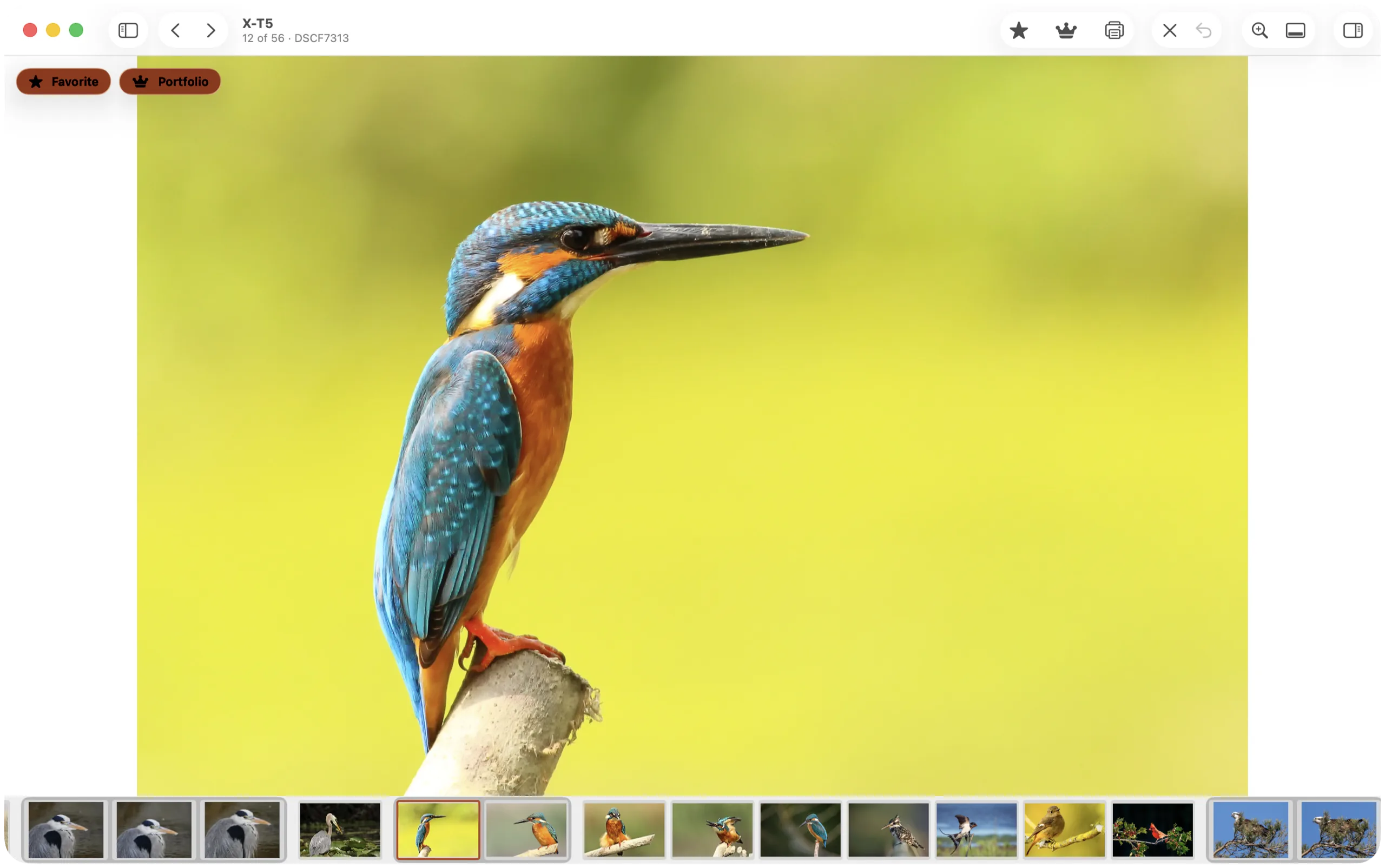
The 30-second promo video, with on-screen captions and no sound
Download MP4, 1920 × 1080 pxIcon and logo





- In text, the name is written Culla, with a capital C. The logo is set in lowercase.
- Please don't recolor, stretch or redraw the icon or the logo, or add effects to them.
- The brand colors: orange
#d2562a, ink#17161aand paper#f4f1ea.
Press inquiries Review copies, interviews, other sizes and formats.
support@getculla.com