Photo culling for wedding photographersFrom the whole day to the gallery. Fast.
A wedding is thousands of frames from two cameras and a dozen moments. Culla shows the day in the order it happened, Smart Cull takes out misses and near-duplicates right on your Mac, and you tag sneak peeks and album picks with one key each.
Two cameras, one timeline.
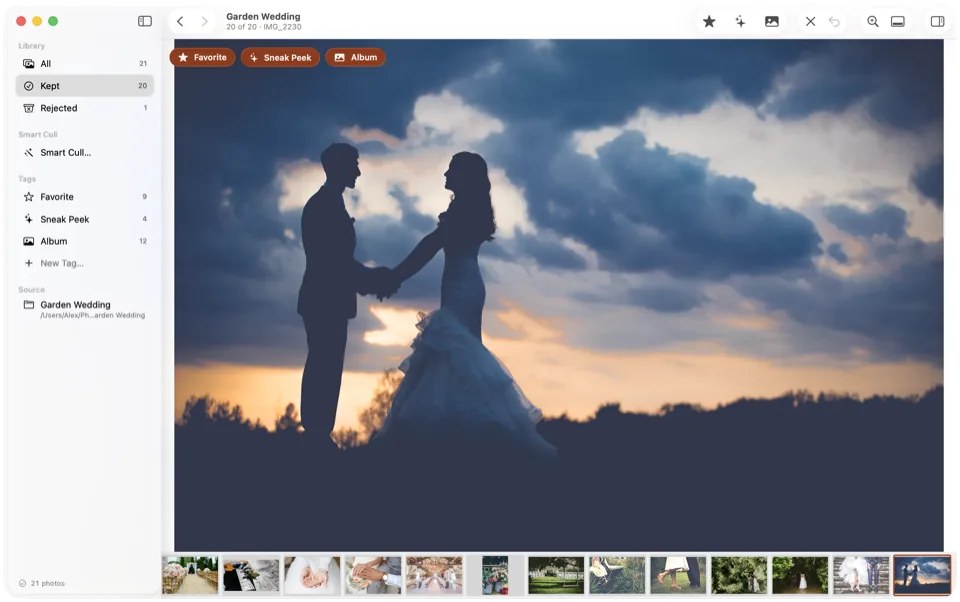
Copy every card into one folder and Culla shows the photos in the order they were taken, across folders and cameras — so the ceremony from two angles reads as one.
- Sync your camera clocks — and your second shooter's — before the day.
- A RAW file, its JPEG twin and its XMP sidecar always move together.
- Every folder becomes a project that remembers where you left off, and its tags are saved right next to the photos.
A first pass on the whole day.
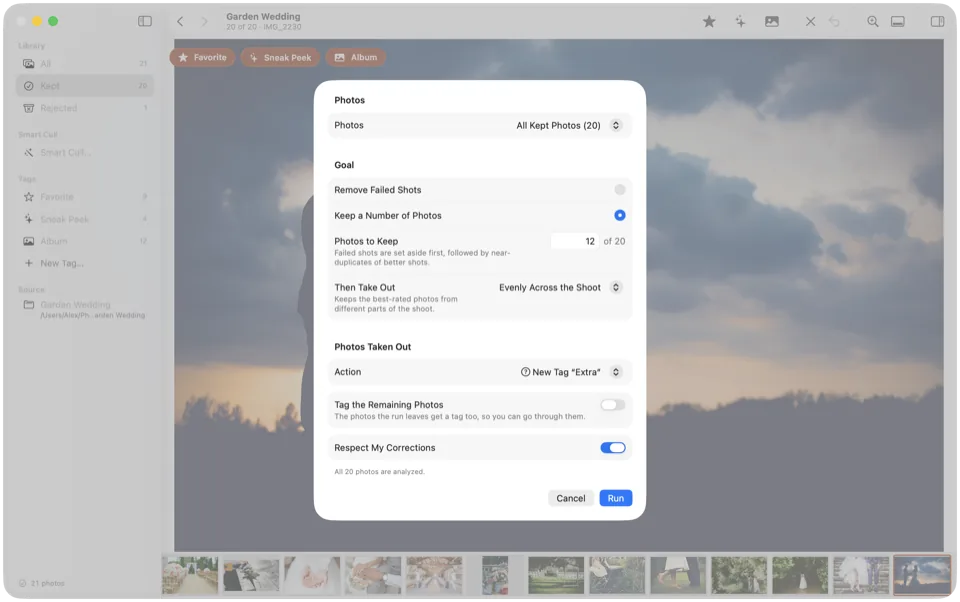
Smart Cull analyzes the wedding on your Mac — nothing is uploaded — and takes out failed shots and near-identical copies of a better one, or gets the day down to your gallery size.
- Choose a gentler strictness for a dark reception.
- Keep a Number of Photos thins the day evenly once the misses are gone.
- The inspector says why a photo was taken out; one Undo takes back the whole run.
Sneak peeks the same evening.
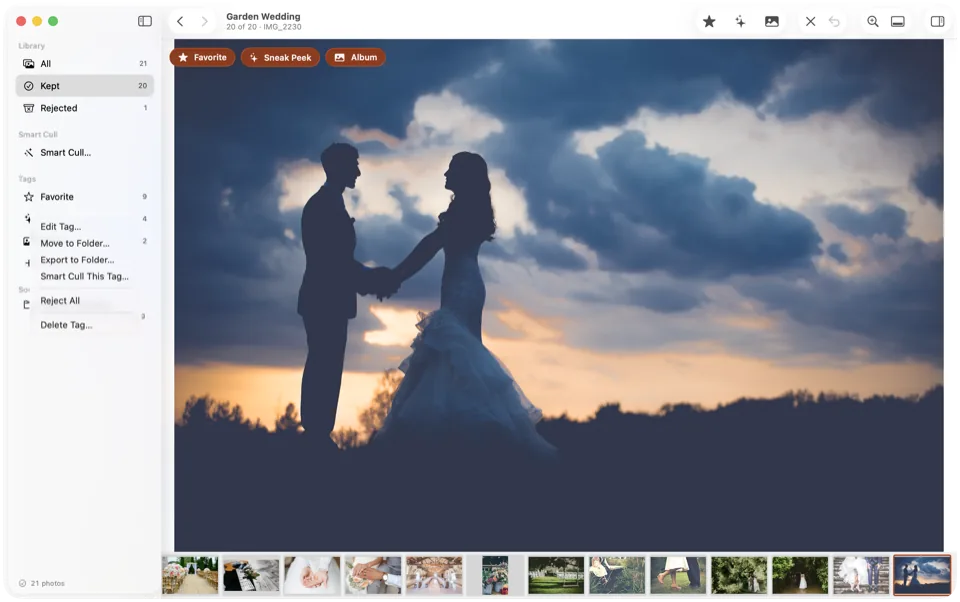
Make a tag for each delivery — Sneak peek, Album, Portfolio — each with its own key and its own collection.
- Export a tag's photos to any folder, ready to send.
- A tag can stand for a star rating or color label, so your album picks arrive in Lightroom or Capture One already rated.
- Run Smart Cull on just one tag's photos.
From two cards to a gallery.
Put the day in one folder
Copy your cards and your second shooter's into one folder and open it in Culla.
Let Smart Cull go first
Take out the misses and near-duplicates, then check every must-have moment is still there.
Tag and hit your number
Tag sneak peeks and album picks as you go, then let Keep a Number of Photos bring the day to your gallery size.
The whole workflow, moment by moment: How to cull wedding photos fast.
Culla for weddings, answered.
Does Culla upload the couple's photos for the AI?
No. Smart Cull runs right on your Mac, and Culla never connects to the internet — the couple's photos don't leave your Mac.
How does Culla handle a second shooter's photos?
Sync the camera clocks before the day, then copy all the cards into one folder. Culla shows every photo in the order it was taken, across folders and cameras.
Can Culla cut a wedding down to my gallery size?
Yes. Keep a Number of Photos takes out failed shots first, then near-identical copies of a better shot, then thins the rest evenly across the day — tagging or rejecting what it takes out, so you can still look it over.
Will Lightroom see my picks?
Yes. A tag can stand for a star rating or color label, and Culla writes it to the photo's XMP sidecar, which Lightroom and Capture One read when you import. Rejected photos are moved aside, so importing the folder brings in only the keepers. Or export a tag's photos to a folder and import that.
Can I pick sneak peeks on an iPad?
Yes. Culla runs on iPad and iPhone too, and one purchase covers your Mac. Open a card or a disk in Files and tag the sneak peeks on the way home; tags and Smart Cull's results are saved next to the photos, so you finish the gallery on the Mac where you left off.

Cull the whole wedding on your Mac.
Nothing uploaded. One-time purchase for Mac, iPhone and iPad.